v2.10.0 Unit Customization and Measurement Conditions Display Features
Overview
Flexible unit customization across the platform for seamless data analysis, comprehensive measurement conditions display in Summary view, and improved data visualization capabilities.
Major Updates
1. Unit Customization for Summary and Data Pages
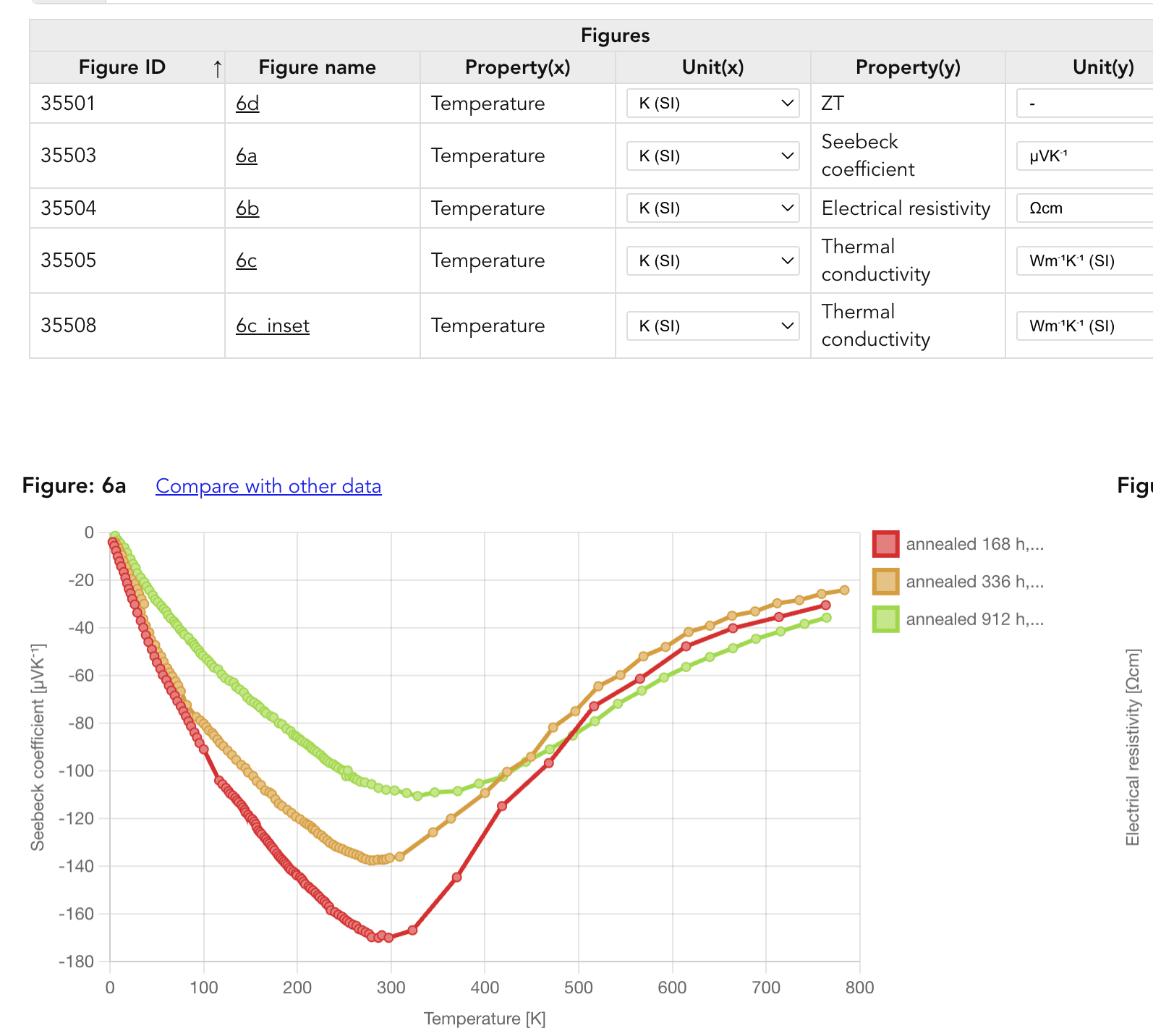
We’ve introduced flexible unit selection capabilities across the platform, allowing researchers to work with their preferred units for different properties. This highly requested feature dramatically improves the data analysis workflow by eliminating manual unit conversions.
Key Features:
- Dynamic unit selection: Choose display units directly from dropdown menus
- Persistent settings: Unit preferences saved in your browser per project/property
- Bulk updates: Change units for all instances of the same property simultaneously
- Natural sorting: Units displayed in intuitive order (e.g., μV/K, mV/K, V/K)
- Common units support: Easy switching to frequently used units in materials science (mAh/g, μV/K, etc.)
How It Works:
- Summary page: Click the unit dropdown next to any property to instantly convert all values
- Data input page: Your preferred units automatically apply when selecting figures
- Smart memory: The system remembers your unit preferences for each property in each project
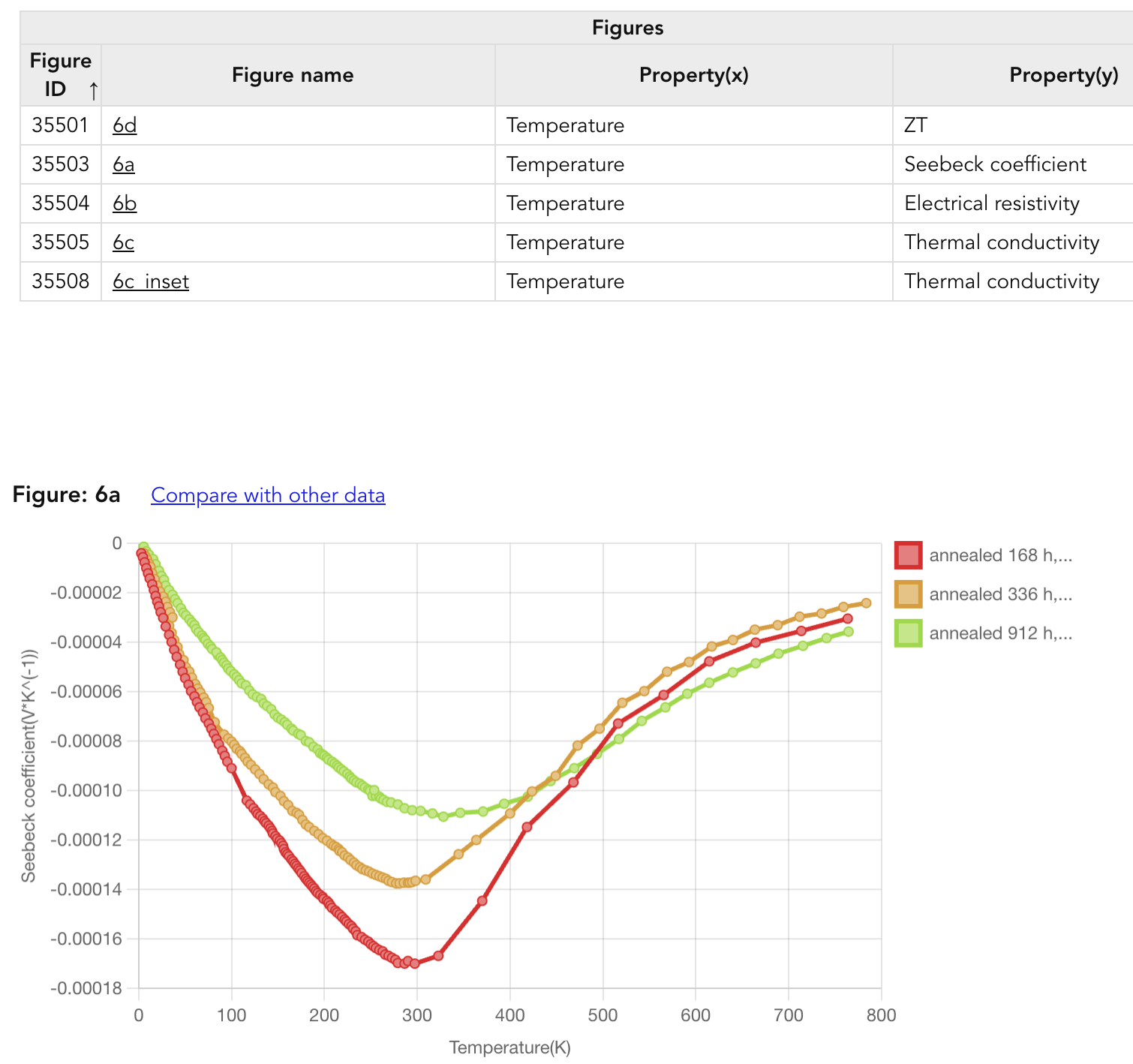
Example: Try the unit customization feature at https://www.starrydata2.org/paperlist/report/6858f9bd97c6334cb8b9838b/ThermoelectricMaterials
Before:
After:
2. Measurement Conditions Display in Summary View
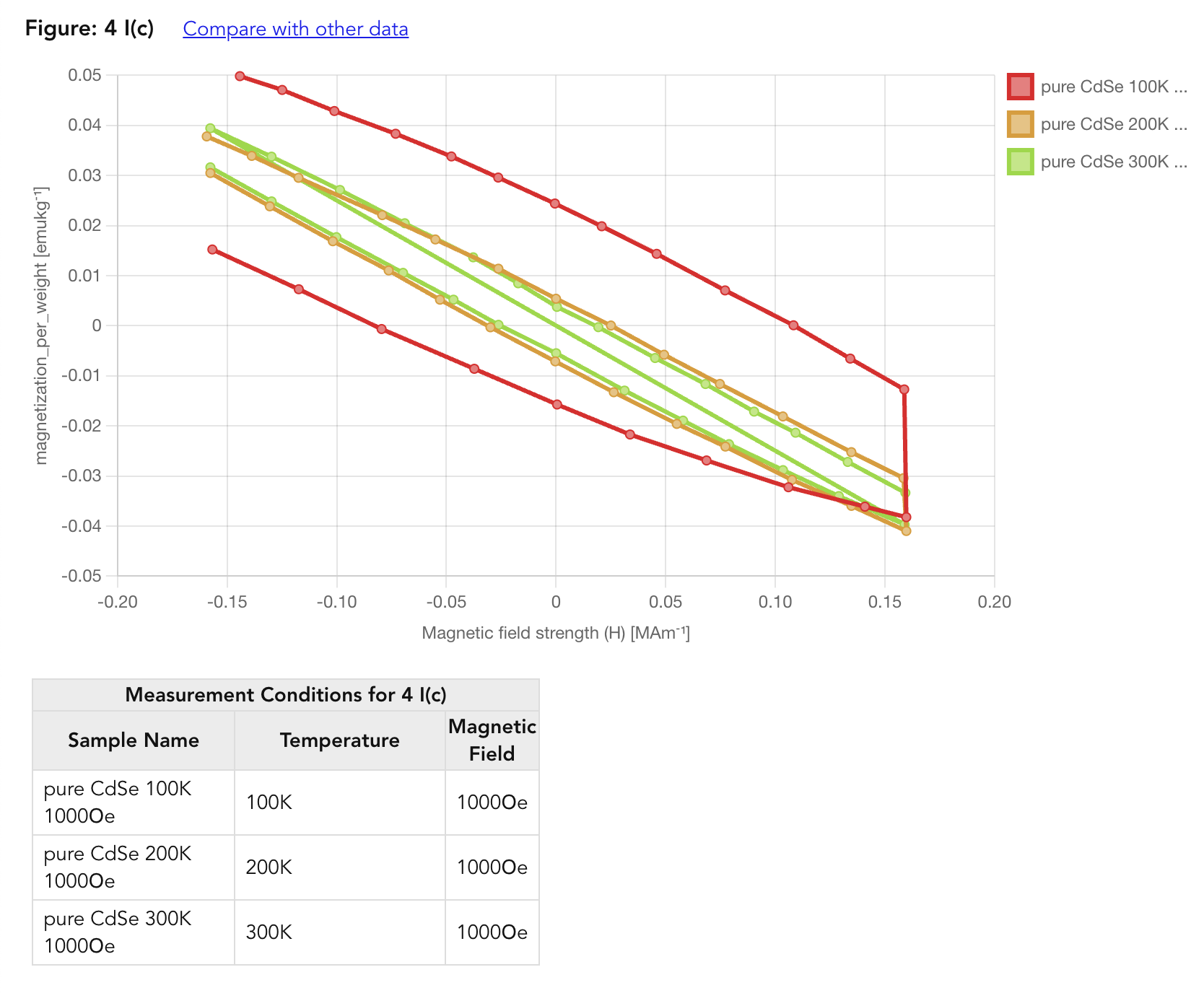
We’ve introduced a comprehensive measurement conditions display feature in the Summary page, solving the long-standing issue of scattered and hard-to-compare experimental parameters. Previously, measurement conditions were stored but not visible in a consolidated view, making it extremely inconvenient to compare experimental settings across different samples and figures.
Key Features:
- Centralized view: All measurement conditions now visible in one place
- Toggle control: Show/hide conditions with a single switch
- Figure-level organization: Conditions grouped by figure for easy comparison
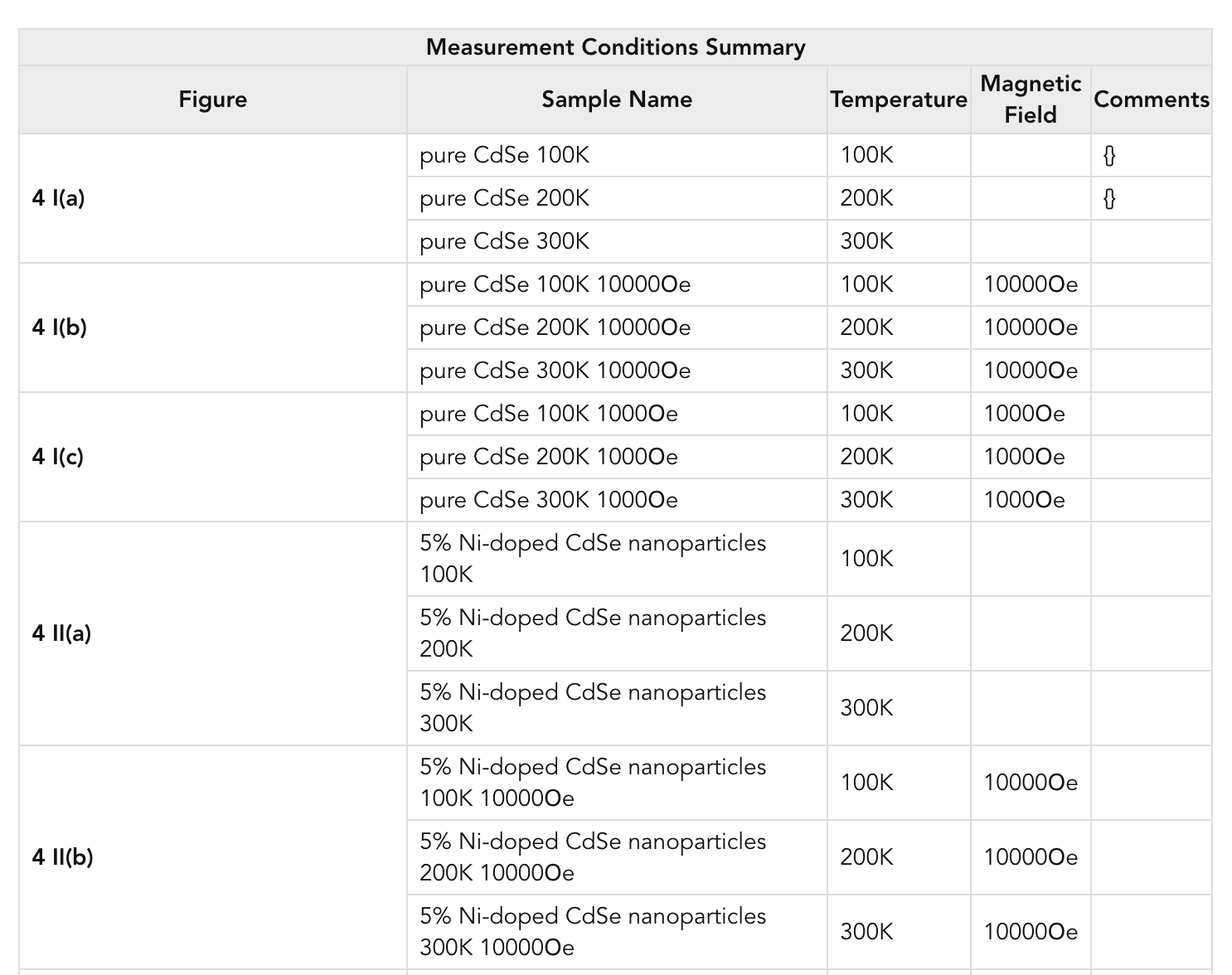
- Conditions matrix: Overview all experimental parameters in a comprehensive table
- Smart display: Automatically detects when conditions are available
Example: View measurement conditions in action at https://www.starrydata2.org/paperlist/report/5e840bd897c6332afe72931c/MagneticMaterials
Measurement Conditions Summary Matrix:
The new matrix view allows researchers to quickly compare experimental conditions across all samples at a glance:
3. Improved Unit Display Formatting
We’ve enhanced the readability of unit displays throughout the platform by implementing proper formatting for scientific notation and special characters.
Formatting Improvements:
- Temperature units:
- Before:
degC,degF - After:
℃,℉
- Before:
- Greek letters:
- Before:
muV/K,muohm * cm,ohm * m - After:
μVK⁻¹,μΩcm,Ωm
- Before:
- Power notation:
- Before:
m^2,cm^3,K^(-1),m^(-2) - After:
m²,cm³,K⁻¹,m⁻²
- Before:
- Division to exponents:
- Before:
V/K,W/(m*K),J/(mol*K) - After:
VK⁻¹,Wm⁻¹K⁻¹,Jmol⁻¹K⁻¹
- Before:
- Multiplication symbol removal:
- Before:
W * m^(-1) * K^(-1),muV * K^(-1) - After:
Wm⁻¹K⁻¹,μVK⁻¹
- Before:
- Scientific notation:
- Before:
(10^2) * muV * K^(-1),(10^-6) * V * K^(-1) - After:
10² μVK⁻¹,10⁻⁶ VK⁻¹
- Before:
These improvements make units more readable and consistent with scientific literature standards, reducing cognitive load when analyzing data.
4. One-Click Application of Auto-Extracted Values
We’ve added a convenient feature that allows you to apply GPT auto-extracted descriptor values with a single click, streamlining the data entry process.
Features:
- Clickable extracted values: Auto-extracted values (displayed in teal) are now clickable
- Instant application: Click on any auto-extracted value to immediately apply it to the comment field
- Visual feedback: Hover effects including color change, underline, and subtle animation
- Efficiency boost: Eliminates manual copying of extracted values
This feature is particularly useful when reviewing and accepting AI-suggested descriptor values, significantly speeding up the data curation process.
Summary
Version 2.10.0 brings highly anticipated improvements to StarryData2’s data analysis capabilities. The new unit customization feature eliminates the need for manual unit conversions, allowing researchers to work seamlessly with their preferred units across the entire platform. Combined with the comprehensive measurement conditions display and various performance improvements, this release significantly enhances the research workflow and data visualization experience.
Thank you for your continued support and feedback!
Code contributors: Tomoya Mato